Apple Silicon · macOS 14+
Type at the speed
of thought.
Hold a key, talk, let go. Your words appear at the cursor in any app. Understands 25 languages, auto-detected. Everything runs on your Mac, never on someone else's server. No account, no subscription.
Lifetime license $25One-time payment, lifetime updates.
One-time payment, lifetime updates.
Hey Sam,
Just had a look at the new draft. Looks great, but the hero feels a touch cramped. Could we give it a bit more breathing room?
Also wondering about the testimonials, could be worth pulling those before the pricing section, reads better that way
Why local
You're renting a microphone you already own.
Cloud dictation sends your voice to someone else's server, charges you monthly for the privilege, and stops working when their uptime does. Parakeety reverses all three on day one.
Cloud transcription
- Where your audio goes
- A server you don't control. Probably logged.
- When the network drops
- It stops working.
- Cost
- $10 to $25 per month, every month, forever.
- Account
- Email, password, billing card on file.
- When the vendor pivots
- You lose your tool.
Parakeety
- Where your audio goes
- Nowhere, it's all local.
- When the network drops
- Still works. Always works.
- Cost
- One-time $25 with lifetime updates, forever.
- Account
- None.
- When the vendor pivots
- You already own it.
The product
One menu bar icon. One floating pill. That's the whole UI.
Menu bar
 Tue 14:32
One small icon in your menu bar. Click it for status and settings. No Dock entry, no Cmd-tab clutter, no main window.
Recording HUD
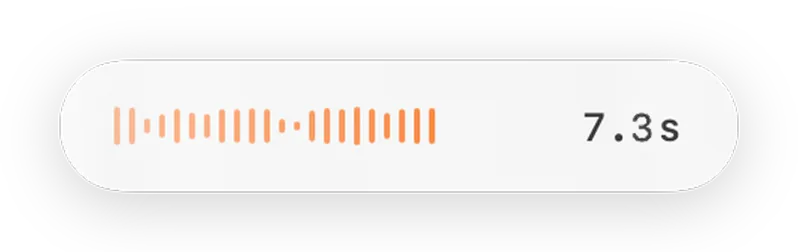
Floats at the bottom of the screen while you're holding the key. Live waveform, elapsed time. Disappears the moment you release.
How
Push to talk. That's it.
Hold §
Hold the key just below Esc. § on UK and European keyboards, the backtick on US and global ones.
Talk
16 kHz mono audio is captured to memory, never to disk. Speak as long or as little as you want.
Release
Parakeet runs on the Apple Neural Engine, on-device. The transcript pastes at your cursor in any app.
First launch
Setup is one window. Four screens. Done.
No tutorial, no preferences pane to navigate, no settings to configure. The window walks you through itself and then closes.
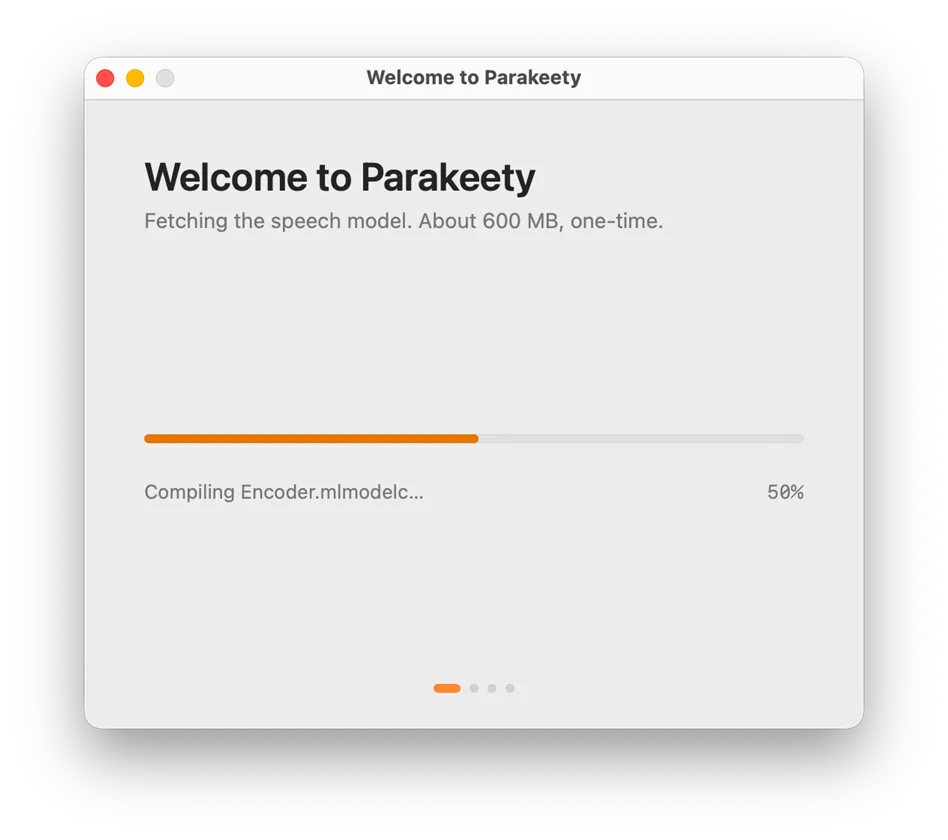
Step 01
Download the model
On first launch, Parakeety fetches the speech model with a progress bar. About 600 MB, one-time.
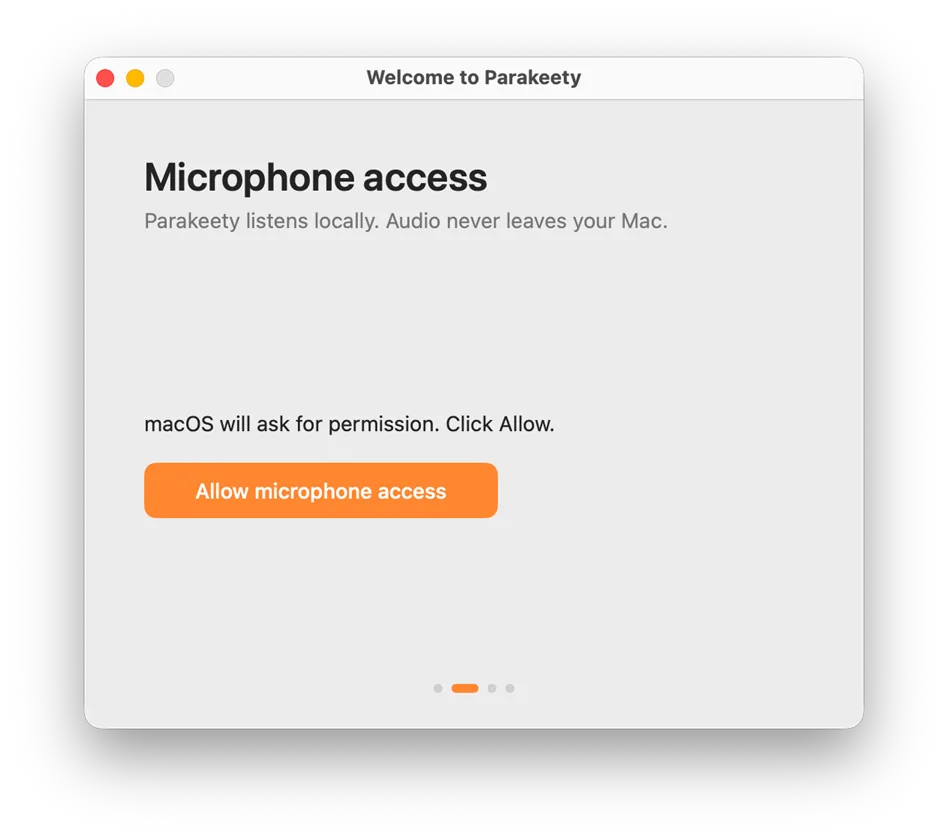
Step 02
Microphone access
macOS asks once. Click Allow. Audio still never leaves your machine, this is just so the app can hear you.
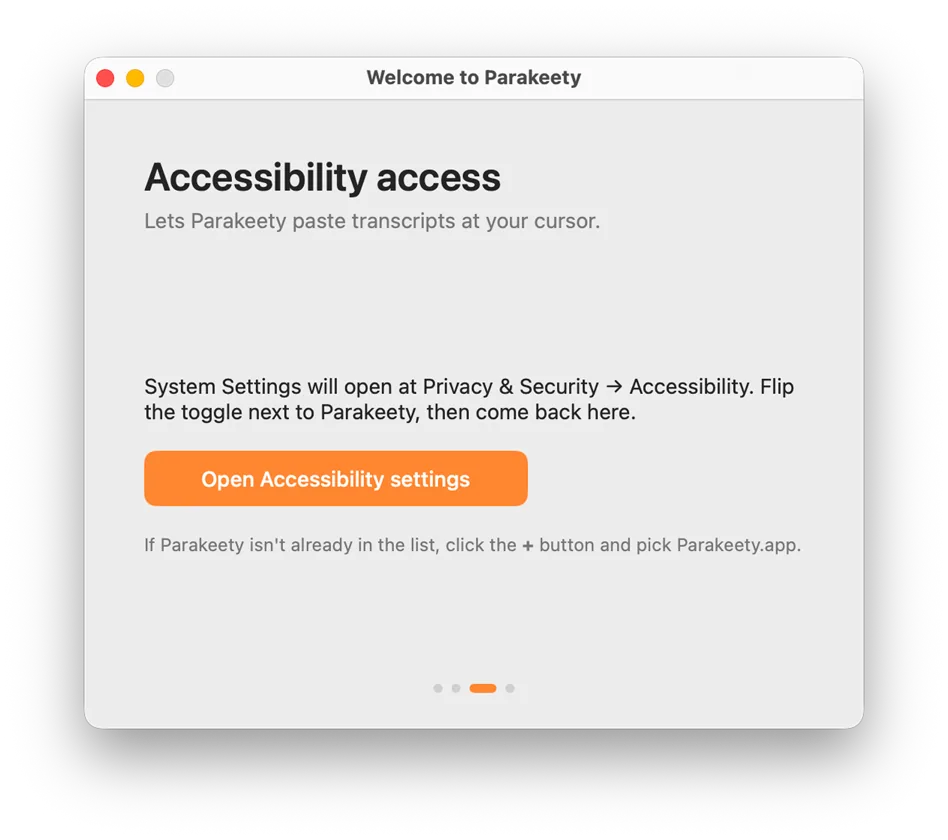
Step 03
Accessibility access
System Settings opens to the right pane. Flip the toggle next to Parakeety. The window detects it within a second.
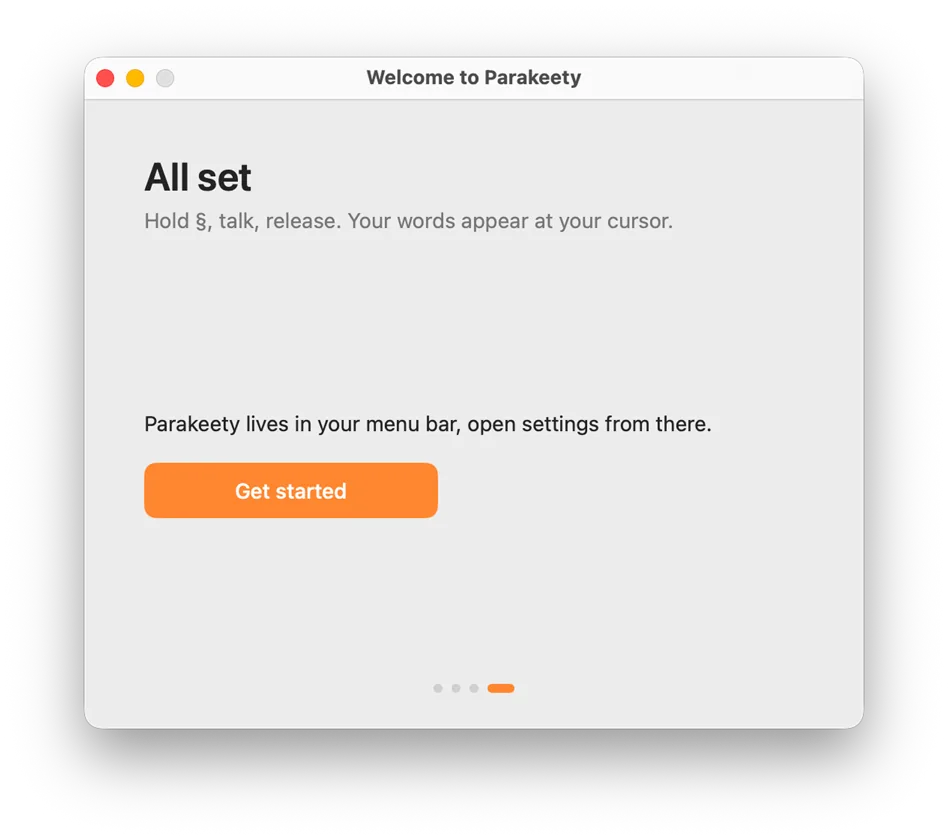
Step 04
Done
The window dismisses itself. Parakeety lives in the menu bar from here on. Hold §, talk, paste, in any app.
Specs
Exactly what you get for $25.
Real numbers, no marketing rounding. If a row matters to you, this is what's actually behind it.
Speech model
Parakeet TDT 0.6B v3
600M-parameter ASR, 25 European languages
Compute
Apple Neural Engine
16-core ML accelerator on every M-series chip
Audio capture
16 kHz mono Float32
In-memory only, never written to disk
App size
2 MB
Plus a one-time 600 MB model download
Network use
First launch only
Zero requests after the model is cached
Privacy
On-device
No telemetry, no analytics, no account
Built on Nvidia's Parakeet TDT 0.6B v3 and Apple's Core ML toolchain. Runs entirely on Apple Silicon's Neural Engine, so transcription doesn't compete with whatever your CPU is doing.
Why this exists
Built because the alternatives all asked for too much.
Apple's built-in dictation cuts off mid-sentence. Cloud transcription wants your voice in someone else's data lake and a card on file. The good local options were either ugly or a faff to set up.
Parakeet TDT 0.6B v3 came out and was startlingly sharp for a 600M-parameter model on a Mac. So I wrapped it in a tiny Swift menu bar app, mapped it to the section key, and made it paste at the cursor. That's the whole product.
"Free" almost always costs you something else: your audio, your time waiting on cloud round-trips, or the tool's longevity. $25 once buys an opinionated, private, fast tool that doesn't change underneath you.
Early users
What people holding § are saying.
"Knocked Apple's built-in dictation off my Mac entirely. Hold §, talk, release, words appear at the cursor. No menus, no setup, just dictation that keeps up with how I think."
Mara K.
Product designer
"Cloud dictation always made me uneasy about what was being logged. Knowing this runs on the Neural Engine and never phones home is the reason I switched."
Tom B.
Backend engineer
"Paid $25 once, no subscription, no account, no email signup. The transcripts being this accurate is the bonus. I've stopped reaching for my notes app for first drafts."
Sam J.
Freelance writer
Questions
Things people ask before buying.
Parakeety is $25, paid once. That gets you the app and every future update for as long as I keep building it. There is no subscription, no annual license, and no separate seats to buy.
Yes. Every Mac gets a free 7-day trial, no card on file. It's the same app as the paid version. After the week, you can either let it expire or pay $25 once.
"Free" almost always costs you something else: your audio, your time waiting on cloud round-trips, or the tool's longevity. $25 once buys an opinionated, private, fast tool that doesn't change underneath you. The 7-day trial tells you which camp you're in before any money changes hands.
No. Apple Silicon is a hardware requirement, not a software one. Updating macOS does not give an Intel Mac a Neural Engine. If you are on Intel, this is not the tool for you.
Yes. Parakeet TDT 0.6B v3 covers 25 European languages: English, French, German, Spanish, Italian, Portuguese, Dutch, Polish, Czech, Slovak, Hungarian, Romanian, Bulgarian, Croatian, Slovenian, Greek, Swedish, Danish, Finnish, Estonian, Latvian, Lithuanian, Maltese, Russian, and Ukrainian. The model picks up the language automatically, no setting to change.
No. While you hold the key, audio is captured to a buffer in memory. As soon as you release, that buffer goes through the speech model, the words paste at your cursor, and the audio is discarded. Nothing is written to disk, nothing leaves your Mac, and the app keeps no history of what you have dictated.
The speech model is around 600 MB. Bundling it would mean a 600 MB installer for a 2 MB app, so it downloads once on first launch instead. After that, transcription runs entirely on-device.
No. App Store distribution would require sandboxing, which conflicts with how Parakeety pastes at the cursor across other apps. Buying directly is the supported way to install it.
The key is fixed to the one below Esc, marked § or backtick, but what a press does is flexible. For longer dictation, press Fn plus that key and Parakeety records hands-free until you press the key again. And if you need to type that character too, say you write code or Markdown, turn on Dev mode in Settings: a quick tap types the key as normal, holding it dictates. Dev mode is off by default, so push-to-talk works the moment you install.
Stop renting your voice
Pay once.
Talk forever.
Seven days free, then $25 once and you're done. Every future update included. No subscription, no monthly drip, nothing to expire.
Lifetime license $25One-time payment, lifetime updates.